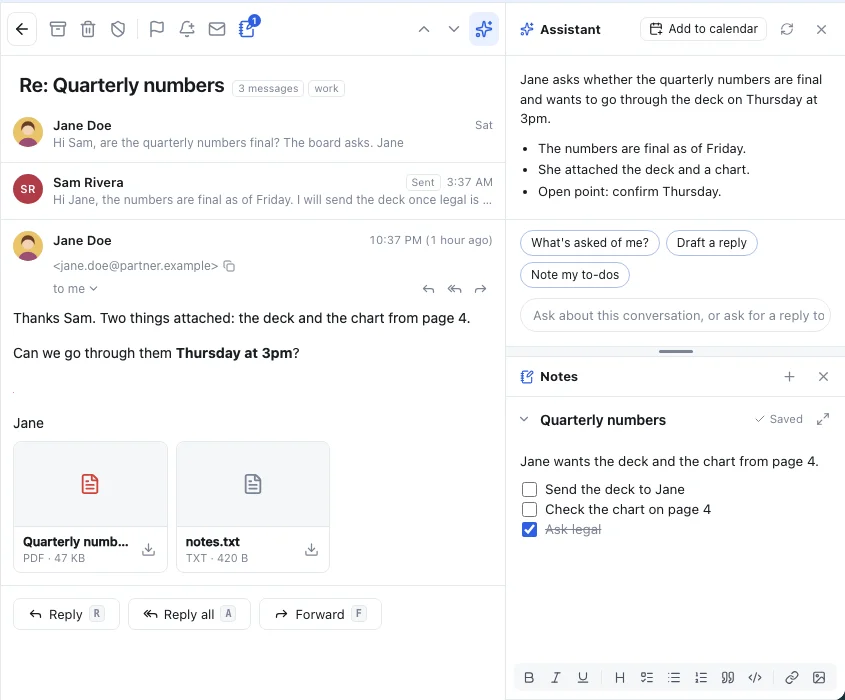
An assistant in every conversation
It sums up a thread, tells you what is asked of you, notes your to-dos and drafts the reply, in your words, for you to send. It uses the AI provider you choose, with your own key, from your computer.
Sideora brings every inbox, your calendar, notes and an AI assistant into one calm place. It runs at home, on your machine, and comes with you to your phone.
Free during early access. No tracking, no ads, no newsletter.

One place
Mail from every account, the calendar and the people you write with, notes beside the conversation they are about, and an assistant that knows what you are reading.
It sums up a thread, tells you what is asked of you, notes your to-dos and drafts the reply, in your words, for you to send. It uses the AI provider you choose, with your own key, from your computer.
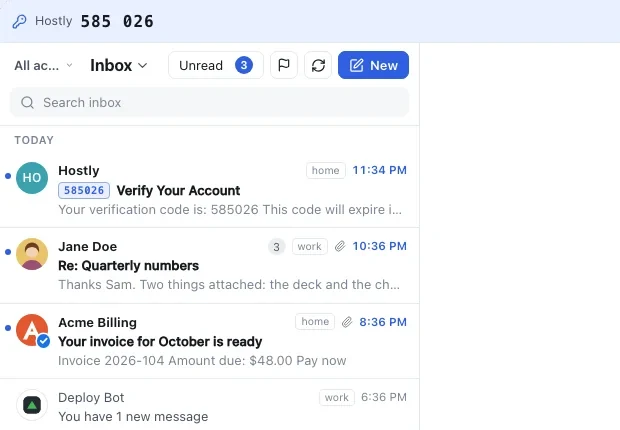
Gmail, Outlook.com and Microsoft 365, iCloud, Fastmail, your company's Exchange server and any IMAP or JMAP account, side by side. A sign-in code in a new mail is one click away from the page that asked for it.
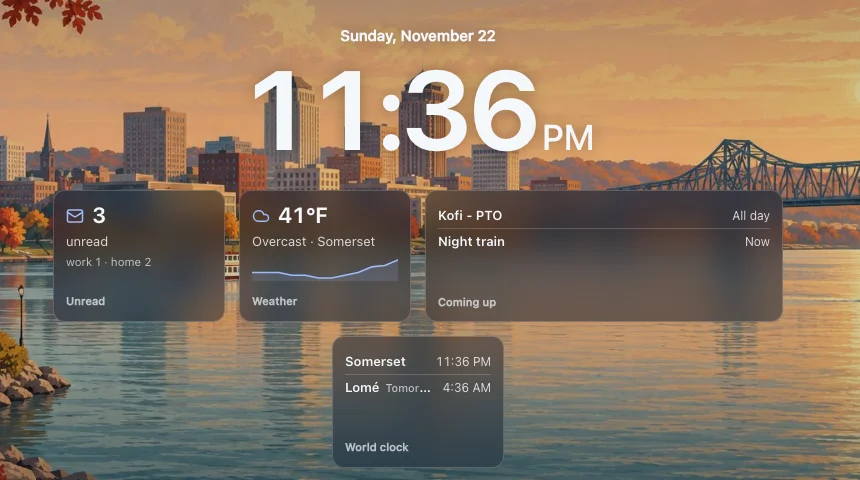
Home greets you with the time, the weather, what is unread and what is coming up, over a picture of your choosing.
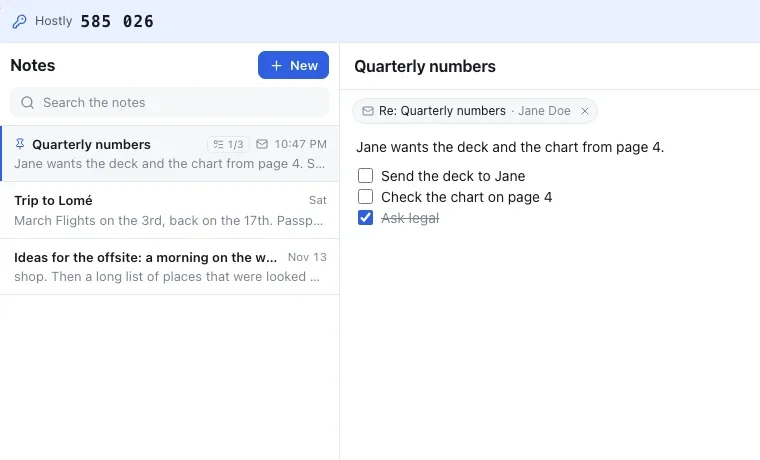
Write beside the conversation; tick to-dos; draw a diagram. Each note keeps the mail it is about.
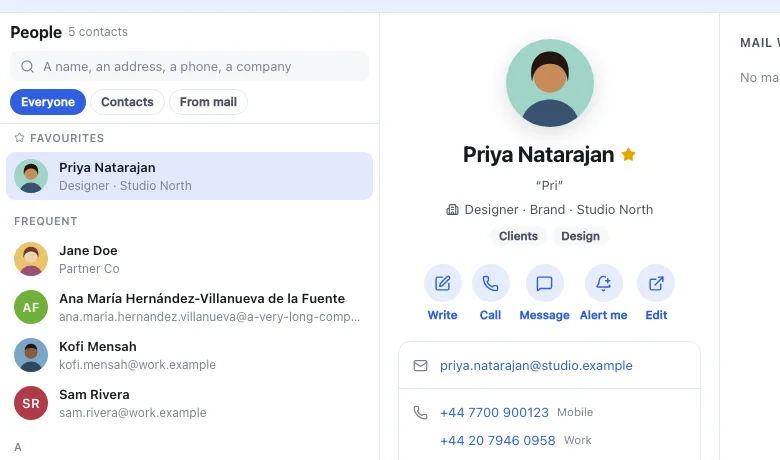
Everyone you write with and your contacts in one book; your calendars from Exchange, Google and iCloud; every attachment, findable.
Private by design
Sideora is not a cloud service with your data in it. It is software on your computer, and what leaves it is sealed.
Your mail, passwords, notes and AI keys stay on your Mac or Linux machine. We never receive them.
Your phone and your computer talk through a relay that carries what is sealed between them. It sees who talks and how much, never what.
Touch ID or Face ID opens it on your phone, and is asked again before a mail is sent or a setting changes.
Wherever you are
The whole app as a page, on the computer it runs on.
Chrome's side panel, and a new tab that opens on Home.
Paired once with a code to scan, locked with your passkey.
A command line, and an MCP server for AI agents to read and draft.
Get started
Sideora is a Node.js program for macOS and Linux.
npm install -g sideoraIt sets up its background service and opens your browser.
sideora installA short welcome walks you through mail, the AI and alerts. Pair your phone from Settings whenever you like.
Early access: the package opens to the list first. Join below, and we write when it is your turn.
Questions
Yes, during early access. If a paid service comes later, such as a hosted relay with more room, it will be announced well ahead, and nothing you use for free will be charged after the fact.
No one but you. Sideora reads your mail on your computer, for you. 908 Studio, which makes Sideora, never receives it. The relay, when you use it, carries sealed data it cannot open.
Gmail, Outlook.com and Microsoft 365 (signed in with Microsoft), iCloud, Fastmail, Exchange servers that organisations run themselves, and any IMAP or JMAP account. Calendars from Exchange, Google, iCloud and Fastmail; Outlook.com and Microsoft 365 calendars are coming.
The one you choose, with your own key: Anthropic, OpenAI, Google Gemini, Mistral, OpenRouter and other OpenAI-compatible services. The assistant is optional: Sideora works fully without it.
Only to reach Sideora from your phone or another place. On the computer it runs on, everything works without it. You can ask to join ours from Settings, or run your own.
macOS and Linux. Windows is not supported yet.
Join early access. One mail when it is your turn, and nothing else.